apps
Instruments and creative tools by Binaryman / Louis Ledoux.
KORG TRINITY / TR-RACK
Trinity Studio
Free editing for the rack you already own.
Shape oscillators, envelopes and effects. Play chords from your keyboard. Keep your sounds.
TR-Rack PCM programs. Bring your rack and MIDI interface. Sound comes from your hardware.
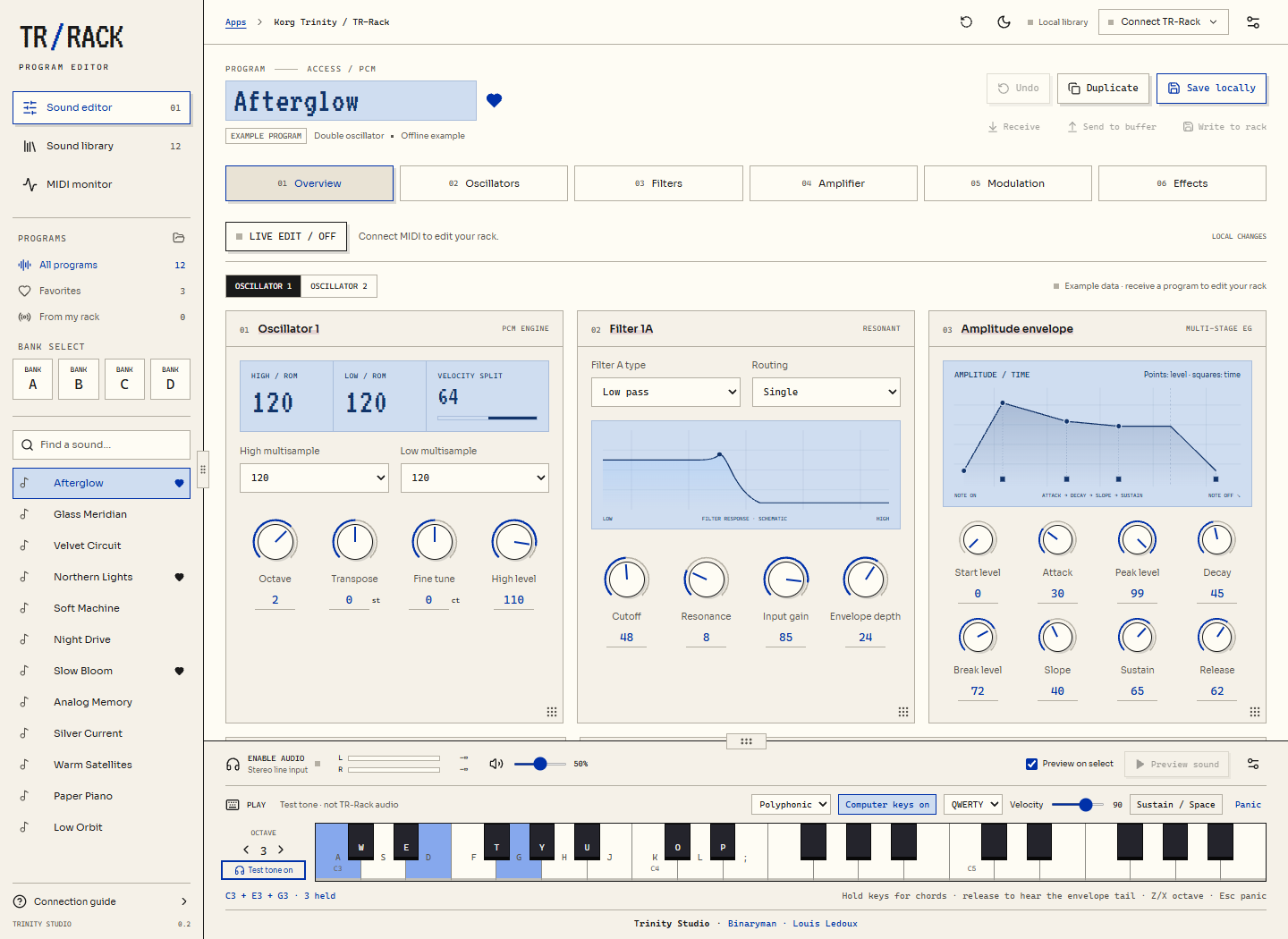
01 / Edit
Live controls. Draggable envelopes. Resizable panels.
02 / Play
Polyphonic keys. Real note releases. Space for sustain.
03 / Keep
Your local library. Bank transfers. SysEx import / export.
Connect, play & save Quick start + compatibility
Connect
- Wire interface OUT → rack IN, and rack OUT → interface IN. Enable SysEx on the rack and match its Global MIDI channel.
- Click Connect TR-Rack, allow MIDI/SysEx access and select both ports. Receive a program, then enable Live edit. Use Send to buffer for effects and name changes.
- Listen through your interface, or connect the rack’s stereo outputs to line inputs and choose Enable audio in the app.
Play & resize
- QWERTY / AZERTY: play the keys printed on the piano; hold several for chords.
- Space: sustain. Z/X (AZERTY W/X): octave. Esc: panic.
- Choose Polyphonic and disable program Hold for normal release tails; apply the change to your rack.
- Drag the sidebar edge, piano’s top edge, or a panel’s bottom-right grip. Double-click a grip to reset it; the top-bar reset button restores the whole layout.
Know the scope
Public beta for TR-Rack PCM programs. Combinations, Multi setups, drum-kit editing and PCG files are not included yet. This is a focused editor, not full MIDI Quest feature parity. The optional test tone only checks keyboard input.
Requires a browser with Web MIDI + SysEx. The app reports missing support. MIDI and audio require browser permission.
Your programs stay local. No account, preset uploads or audio recording. Save/export your work; back up before permanent rack writes. Export/import your library to move between localhost, this website, or another browser.