Understanding Unix
NUnix · L3 MIAGE · CM1 · 90 minutes
ISTIC · University of Rennes
2026–2027
Linux is closer than you think
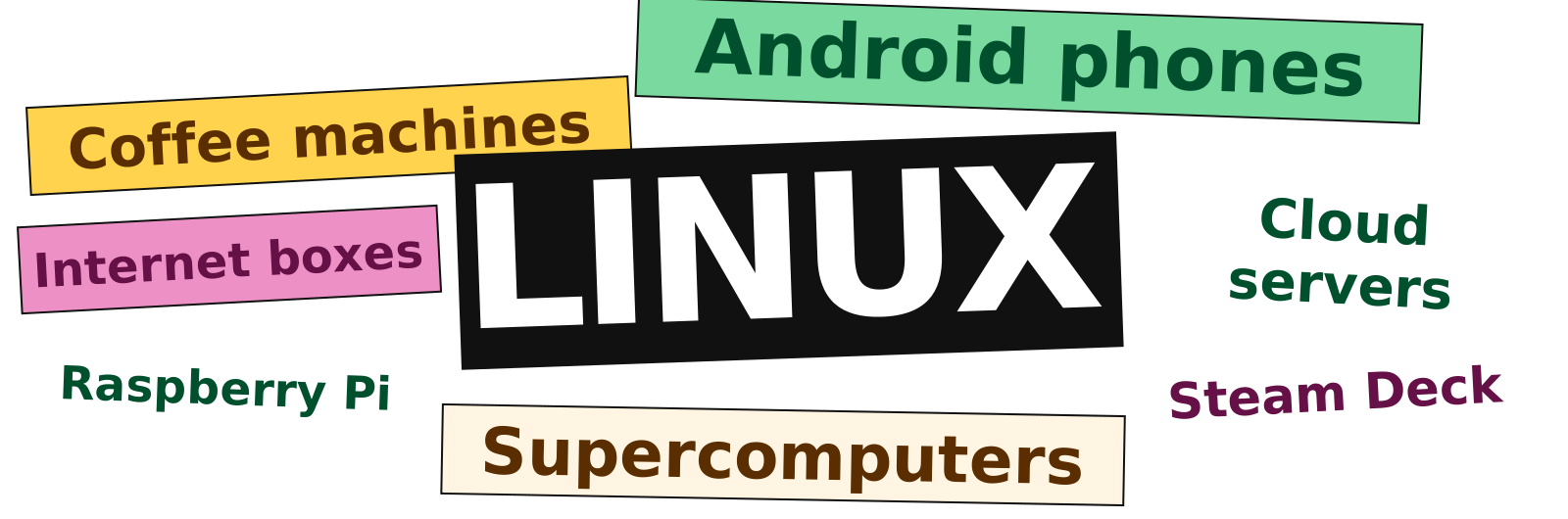
You can use it all day without opening a terminal.
Yes, even the coffee machine

Android phones
The Linux kernel manages processes, memory and hardware.

Freebox Server Pop
A home internet box. Free publishes its Linux source code.

Linux can run behind a touchscreen or a web interface.
Unix and Linux usage
Mobile web use
69.17%
of observed mobile page views come from Android, built on Linux.
Websites
92.1%
use the Unix family, including Linux, among sites whose OS W3Techs identifies.
Supercomputers
500/500
systems in the June 2026 TOP500 list use the Linux family.
Course structure
Three lectures of 90 minutes.
| Lecture | Topics | Application |
|---|---|---|
| CM1 · Unix | Files, paths and permissions | Find files and check access |
| CM2 · Commands | Processes, search, pipes and redirections | Count errors in a log |
| CM3 · Bash | Variables, conditions, loops and functions | Write scripts with arguments and loops |
The exercises practise commands first, then scripts.
Working with files in Unix
- Navigate directories and understand file paths.
- Read files and quote names containing spaces.
- Check file and directory permissions.
Why use a script?
Today: find the main error in one log.
Next week: check 200 logs every morning, including when you are away.
A saved script lets the team:
- Apply the same rule to every input.
- Review and change the procedure as text.
- Run it remotely or through a scheduler.
- Check output and failure status.
Which tool fits the task?
| Task | A useful starting point |
|---|---|
| Explore sales figures, filter and make a chart | Excel or another graphical analysis tool |
| Inspect a server’s logs, processes and permissions | Remote shell and system commands |
| Repeat a file-processing procedure every morning | A tested script and a scheduler |
| Query related business tables | SQL and a database |
| Explain the result to the team | A spreadsheet, dashboard or report |
Excel also offers Power Query and Office Scripts for repeatable work.
1. Linux and the shell
The operating system, the terminal and the command interpreter
What the operating system manages
| Resource | Operating system responsibilities |
|---|---|
| Processes | Start, schedule and stop programs |
| Memory | Allocate memory and isolate processes |
| Files | Store data and control access |
| Devices | Provide interfaces to hardware |
Programs request services through system calls.
Linux
- 1991: Linus Torvalds announces his kernel project.
- Linux is a Unix-like kernel, distributed as free and open source software.
- A distribution combines the kernel with tools, libraries and applications.
Our working environment: a Linux system with the Bash shell and command-line tools.
Unix, GNU and Linux
| Name | Meaning |
|---|---|
| Unix | The operating-system family that inspired Linux |
| GNU | The project behind Bash and many command-line tools |
| Linux | The kernel: manages processes, memory and hardware |
GNU = GNU’s Not Unix.
The name contains itself: a recursive acronym.
Terminal, shell, command
| Name | Role |
|---|---|
| Terminal emulator | Displays text and receives keyboard input |
| Shell | Interprets command lines and runs commands |
| Command | Performs an operation, such as listing files |
A script saves a sequence of shell commands in a file.
A command and its arguments
Getting help
One directory tree
- The filesystem has a common root:
/. - Other filesystems appear at mount points in that tree.
- Each account has a home directory and belongs to groups.
- Permissions control access to files and directories.
Example home directory: /home/alice
The university may use a different path.
Where Linux stores files
| Need | Typical location |
|---|---|
| Alice’s personal files | /home/alice |
| System configuration | /etc |
| Installed add-on applications | /opt |
| Changing application data | /var/lib |
| Log files | /var/log |
Configuration: /etc · Logs: /var/log
Users, administrators and software
| Directory | Typical role |
|---|---|
/home, /root |
User homes; the root account’s home |
/usr |
Most distribution-provided tools and libraries |
/usr/local |
Software installed locally by the administrator |
/opt |
Add-on software packages |
/ is the filesystem root.
root is also the administrator account’s name.
Temporary files and system information
| Directory | Purpose / lifetime |
|---|---|
/var |
Changing data, often persistent |
/tmp |
Temporary files; cleanup policy varies |
/run |
Runtime state, cleared at boot |
/dev |
Device interfaces |
/proc, /sys |
Views of processes, kernel and devices |
A path can expose live system information.
It need not refer to ordinary data stored on disk.
Several filesystems, one tree
/
├── home/       user files
├── mnt/        a temporary mount point
└── media/      removable media mount points
Mounting makes another filesystem visible at a directory.
The device node might be /dev/sdb1; its files appear at the mount point.
The current directory
| Notation | Meaning |
|---|---|
. |
Current working directory |
.. |
Parent directory |
/ |
Root directory |
~ |
Your home directory, expanded by the shell |
$HOME |
Variable containing your home path |
$PWD |
Variable containing the current directory path |
Absolute and relative paths
Current directory: /home/alice
| Path | Interpretation |
|---|---|
/home/alice/notes.txt |
Absolute: start at / |
notes.txt |
Relative: start in the current directory |
./notes.txt |
The same relative path |
../bob/notes.txt |
Go to the parent, then into bob |
A path tells us where to look. Permissions determine whether access is allowed.
2. Files and directories
Navigate, inspect and change the directory tree
Moving around
Listing directory entries
Creating and removing directories
Creating, copying and moving files
Reading text files
| Command | Result |
|---|---|
cat notes.txt |
Print the whole file |
less notes.txt |
Browse interactively, q to quit |
more notes.txt |
Browse a page at a time |
head -n 5 notes.txt |
Print the first five lines |
tail -n 5 notes.txt |
Print the last five lines |
diff old.txt new.txt |
Show differences between two files |
Why is less called less?
Concatenating files
Filename patterns
Quoting special characters
What does the command receive?
Checkpoint: files and paths
- What does
cd ..do? - Which
lsoption includes hidden entries? - What does
cat a.txt b.txtprint first? - Does
echo '*.txt'expand the pattern?
- Move to the parent directory.
-a- The contents of
a.txt. - No. Single quotes preserve the literal
*.
3. Who may access this file?
Identify the account, inspect the path, explain the permission check
Users, groups and ownership
Permission classes
-rwxr-xr--
u g o| Class | Applies to |
|---|---|
u |
The file's owner |
g |
Members of the file's group |
o |
Other users |
a |
All three classes when using chmod |
What r, w and x allow
| Bit | Regular file | Directory |
|---|---|---|
| r | Read contents | List entry names |
| w | Modify contents | Add or remove entries* |
| x | Execute | Search / traverse |
*Changing directory entries also requires search permission. Other restrictions, such as the sticky bit, may apply.
Changing permission bits
Numeric permissions
Checkpoint: permissions
- Decode
640for a regular file. - Add execute permission for the owner of
run.sh. - Which directory bit allows traversal?
- Owner:
rw-
Group:r--
Others:--- chmod u+x run.shx
“I can see the name, but cannot read it”
# Illustrative server metadata
 drwxr----- alice students  shared/
 -rw-r----- alice students  shared/notes.txt
Bob belongs to students. He can list the names, but cannot open notes.txt. Why?
The directory’s group bits lack x: traversal.
If team access is intended, the owner can add g+x.
CM1 summary: files and permissions
- Locate configuration, software, data and logs.
- List and read files; quote names containing spaces.
- Check owner, group and other permissions.
Optional reference
Examples to revisit during TD or personal practice
Operating system, shell and GUI
| Layer | What it gives us |
|---|---|
| Operating system | Processes, storage and access control |
| Graphical interface | Windows, menus and direct visual interaction |
| Shell | Commands we can combine and save in scripts |
| Application | A task-specific tool, such as Excel or a database |
Your laptop can run Windows while the company’s application runs on Linux. You need to work with both.
Summarise a log before opening it in Excel
| Quantity | Meaning |
|---|---|
| 2,000,000 log lines | Example input size |
| 1,048,576 rows | The maximum in one Excel worksheet |
| One row per error code | The summary the team wants to discuss |
Process the raw log where it lives, save the counts, then use Excel to analyse or present the summary.
Microsoft: worksheet limits. Power Query and the Data Model offer other ways to handle larger datasets.
Path components and word counts
Hard links and symbolic links
Hard link
- Another name for the same file.
- Removing one name leaves the other usable.
- Same filesystem, normally no directory links.